
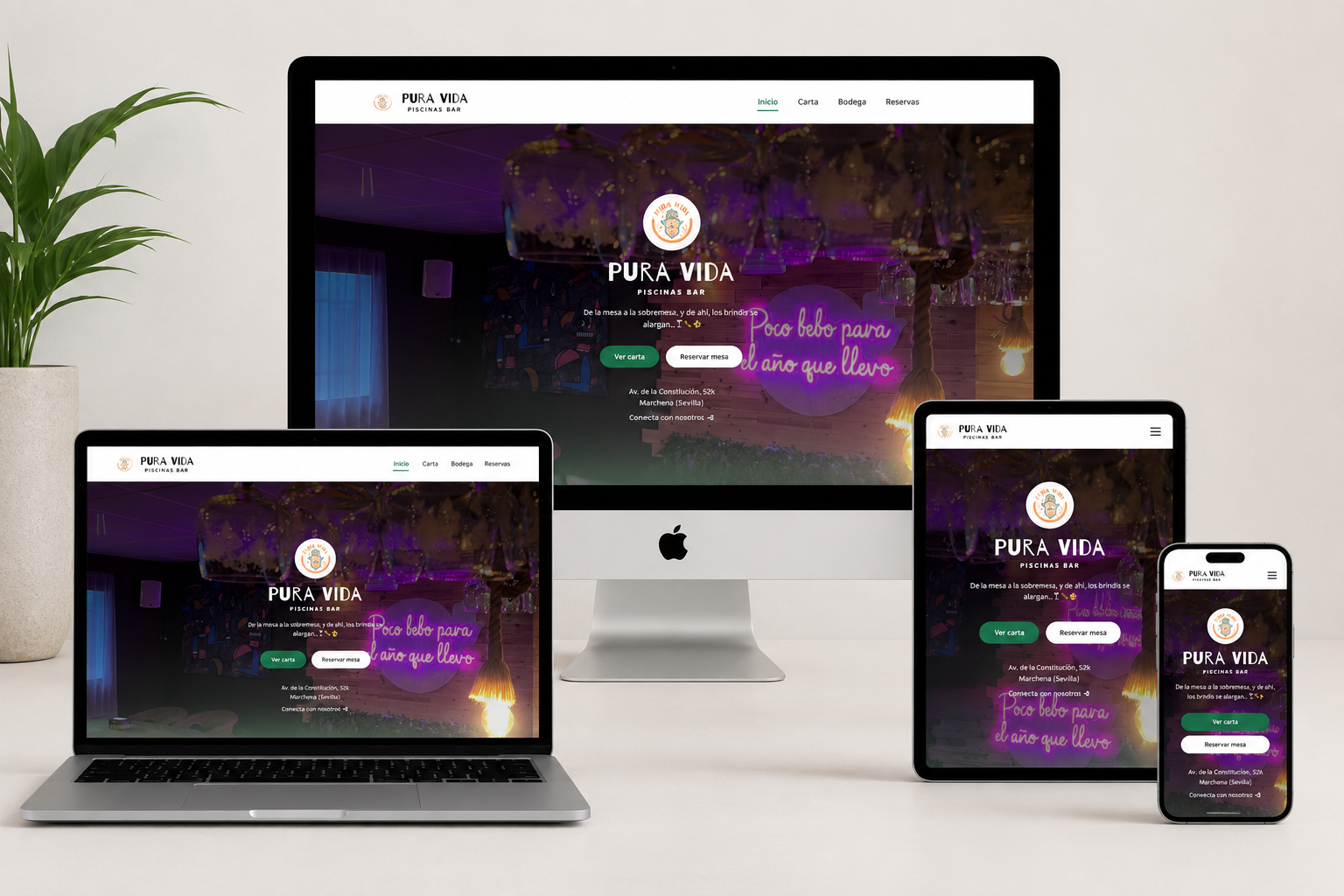
Web Project
Pura Vida
Restaurant website for Pura Vida - Piscinas Bar with a dynamic menu powered by Google Sheets API
Requirements
The core idea behind the Pura Vida project was to provide the restaurant with a dynamic, always-up-to-date menu accessible via QR code. The management needed the ability to add or remove dishes, promote offers, announce new products and adjust prices in real-time without depending on a developer for every change.
The solution had to be simple enough for non-technical staff to manage independently, reliable enough to work during peak hours and accessible to customers on any device.
Proposed Solution
As a developer primarily oriented towards backend systems, I believe in choosing the right tool for each project. Deploying even a minimal backend for something this simple — where only restaurant management would interact with it — felt like the wrong decision from the start.
After researching alternatives, I found Google Sheets API to be an excellent fit. It's familiar to the restaurant staff, far less costly to develop than a custom backend and virtually zero cost to maintain. The spreadsheet interface requires no training and changes propagate to the website instantly.
Additionally, since we were already deploying a small web project for the menu, I proposed creating a minimal presentation website for the venue — including basic contact information, location details and photos that showcase the atmosphere and décor. This turned a simple menu page into a complete digital presence for the restaurant.
Hero
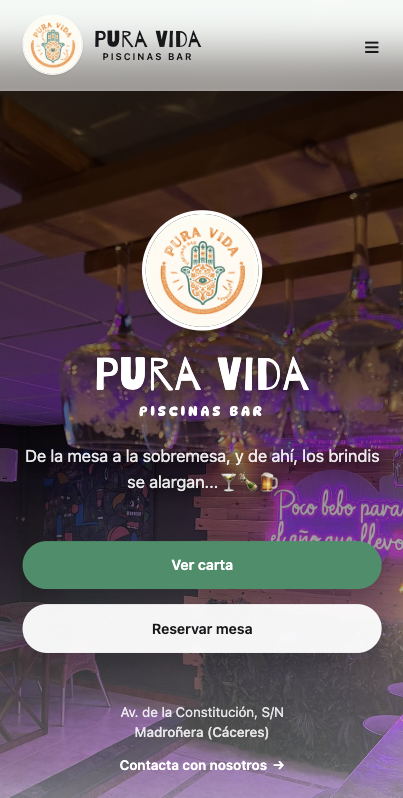
The page is designed so that any visitor can perform their desired action from the very first second. All key business elements are accessible directly from the hero, eliminating unnecessary steps and reducing friction during navigation.
The two main calls to action — View Menu and Book a Table — occupy a prominent position and allow immediate access to the most demanded functionalities. This is especially relevant in a context where most visits arrive via QR codes and expect to find information within seconds.
The design strategy prioritizes conversion and user experience: fewer searches, fewer clicks and immediate access to everything the restaurant offers.
Menu Display

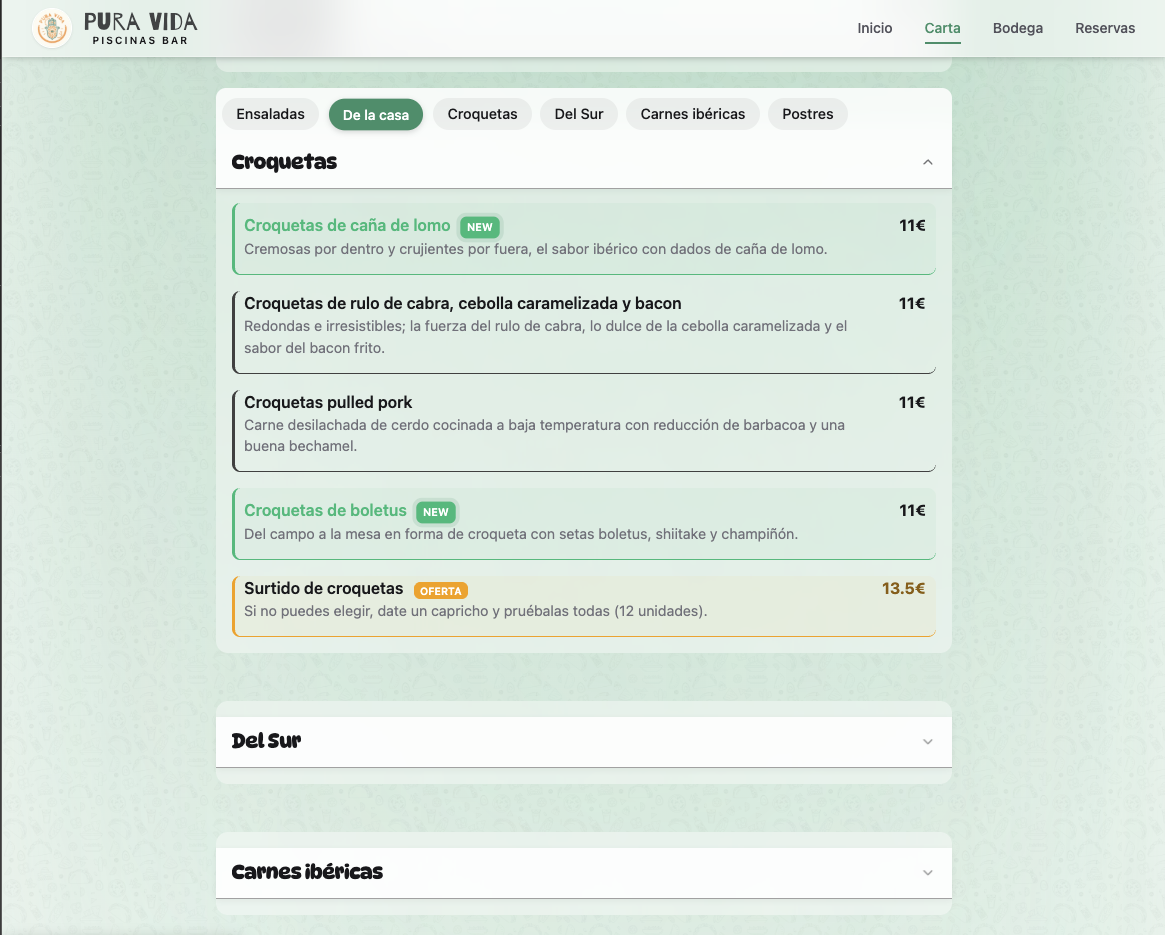
The menu interface is designed for readability on mobile devices. Dishes are organized by category with clear typography, pricing and availability indicators. The layout adapts gracefully from small phone screens to tablets, ensuring a consistent experience regardless of device.
Each category expands its dishes in an orderly fashion, allowing customers to explore options without feeling overwhelmed. Visual allergen indicators and the Extremaduran meat seal appear directly next to relevant dishes, facilitating quick decision-making.
Menu navigation prioritizes simplicity and clarity: the user always knows where they are, what they're viewing and how to go back. There are no hidden menus or unnecessary features — only what the customer needs to enjoy their experience.
Wine Cellar
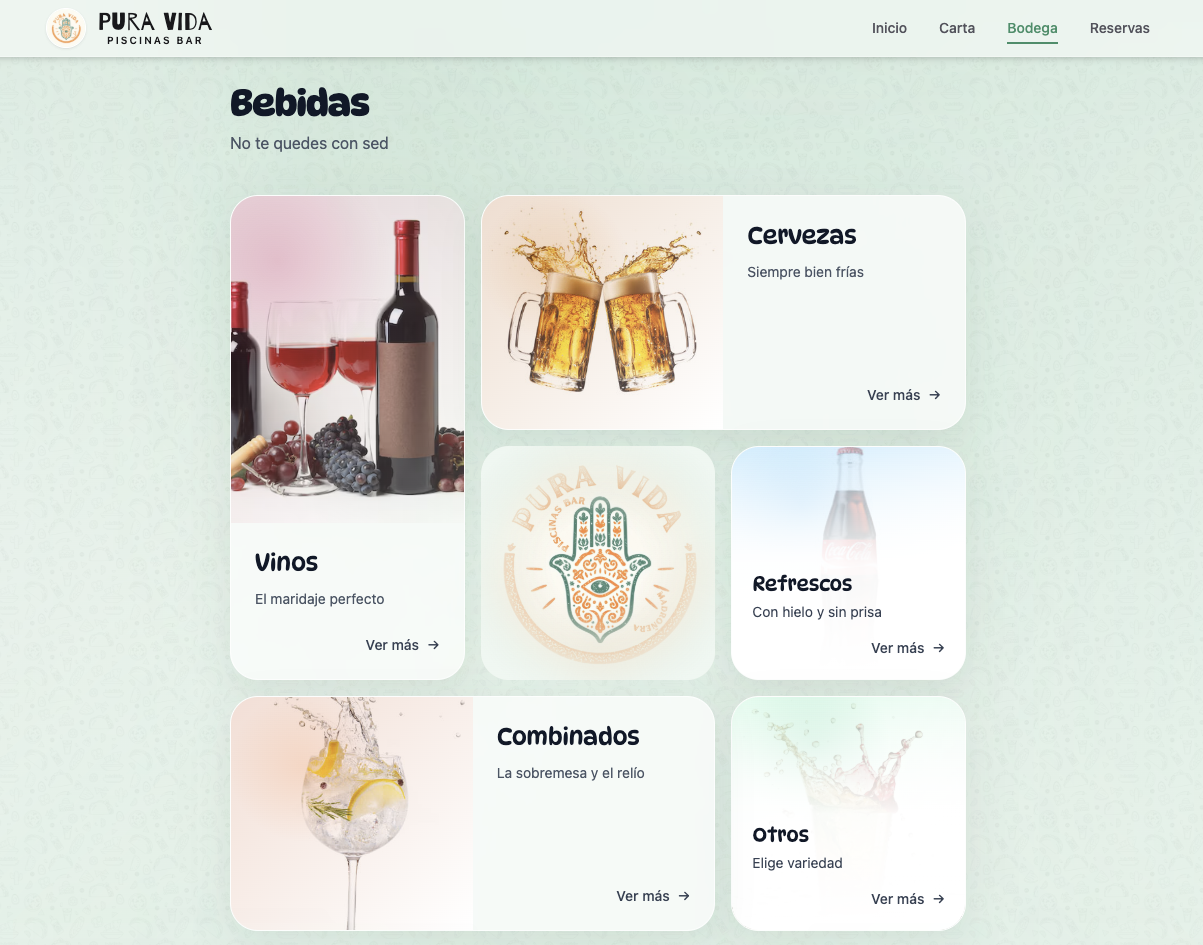
The wine section showcases the restaurant's cellar with visual cards for each selection. Each wine entry includes origin, grape variety, tasting notes and pairing suggestions. This elevates the dining experience by helping customers make informed choices that complement their meal.
Reservations
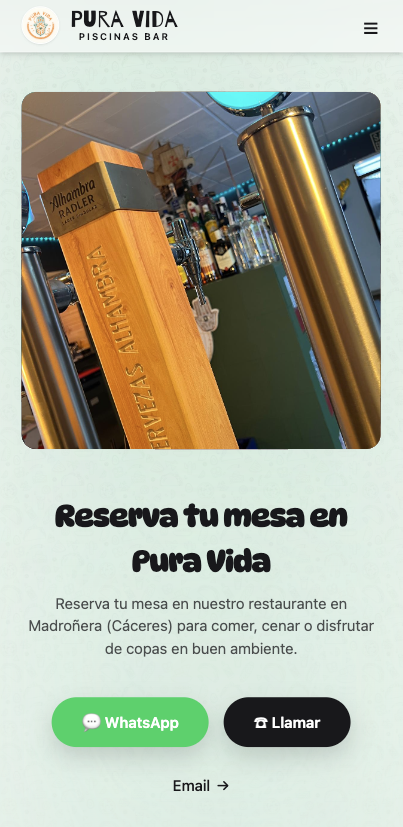
The reservations section provides clear contact information and encourages customers to book in advance. With prominent call-to-action buttons and essential details like opening hours and location, converting a menu browser into a reservation is seamless.
All contact methods have been integrated in an accessible way: WhatsApp for quick bookings, direct calling for immediate inquiries and email for formal communications. Each channel is clearly identified with recognizable icons and descriptive text that eliminates any doubt about how to proceed.
This multi-channel accessibility not only improves the user experience but also contributes to local SEO: structured and visible contact data helps search engines better understand and rank the business in local results.
SEO Strategy
Although SEO is not my primary area of expertise, I took it seriously for this project. While it's admittedly not particularly difficult to compete for search rankings in a town of 2,500 inhabitants, I applied best practices throughout to ensure the site performs optimally.
The site implements semantic HTML5 structure with proper heading hierarchy, meta descriptions tailored to local search intent and Open Graph tags for social sharing. Performance optimization through Astro's static generation ensures fast load times — a critical factor in search rankings.
Local SEO considerations include structured data markup for the restaurant's business information, consistent NAP (Name, Address, Phone) data and mobile-first responsive design. The QR code integration itself serves as a physical-to-digital bridge that drives direct traffic, complementing organic search efforts.
The result is a site that not only ranks well for relevant local searches but also provides a quality experience that encourages repeat visits and word-of-mouth referrals.
Overview
The web-based menu has been very well received by the restaurant's customers. We've achieved an intuitive interface that's easily usable on mobile devices — even by older customers or those with less technological literacy.
The QR code system has reduced the need for printed menu updates, saving costs and ensuring customers always see the current offerings. The ability to highlight new products and promotions has directly contributed to increased visibility of special items.
Dishes by Section
The menu is structured into clear sections — starters, main courses, desserts and drinks — making it easy for customers to navigate and find what they're looking for. Each section is visually distinct with consistent formatting.
100% Extremaduran Meat
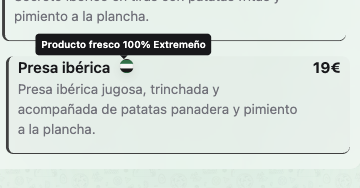
A prominent seal highlights the restaurant's commitment to serving 100% Extremaduran meat. This quality badge is displayed prominently on relevant menu items, reinforcing the restaurant's dedication to local, premium ingredients and differentiating it from competitors.
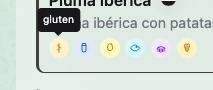
Allergen Indicators
Allergen information is clearly marked on each dish using standardized icons. This ensures customers with dietary restrictions can quickly identify safe options without needing to ask staff, improving both safety and the overall dining experience.
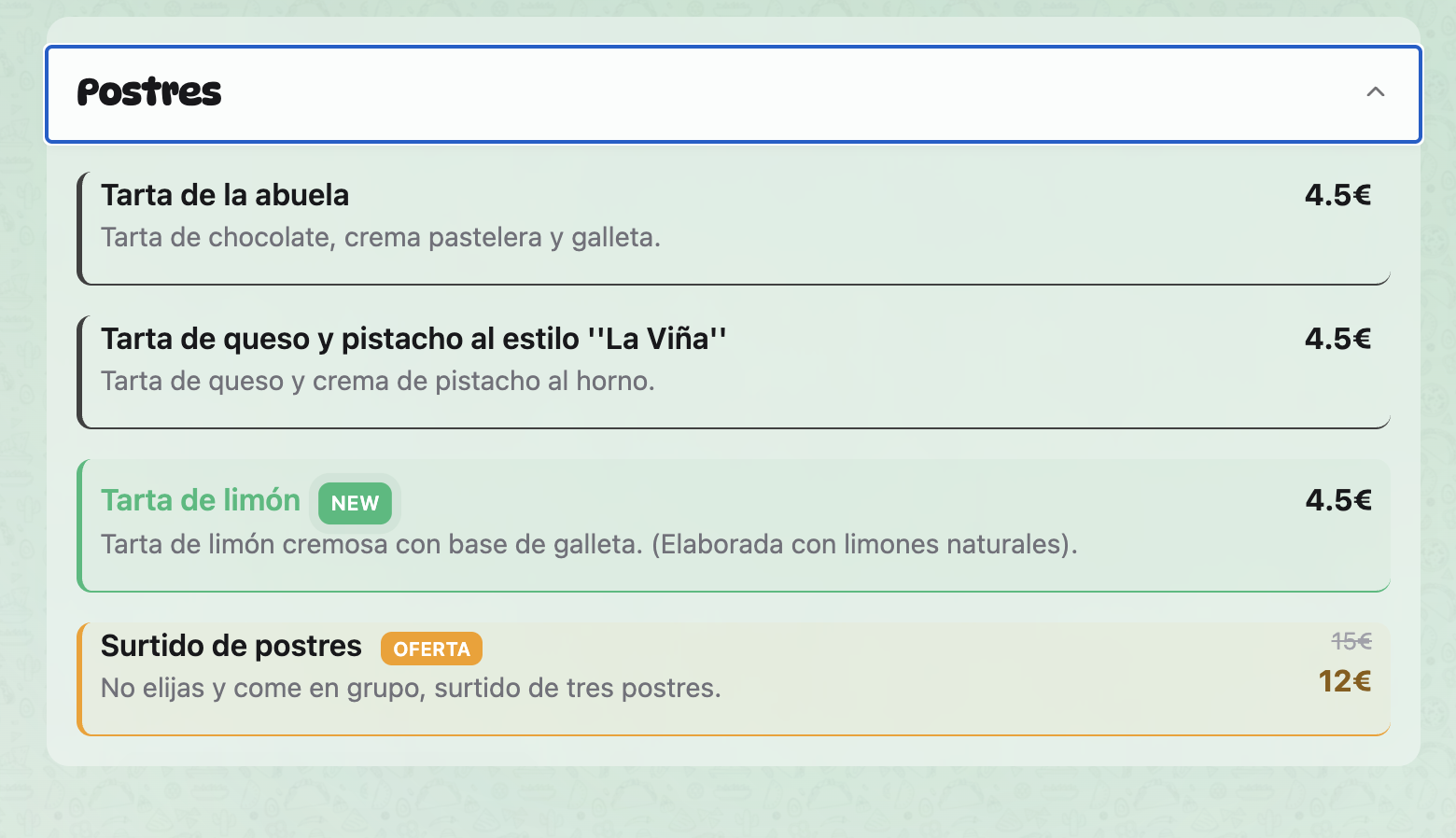
Featured Offers
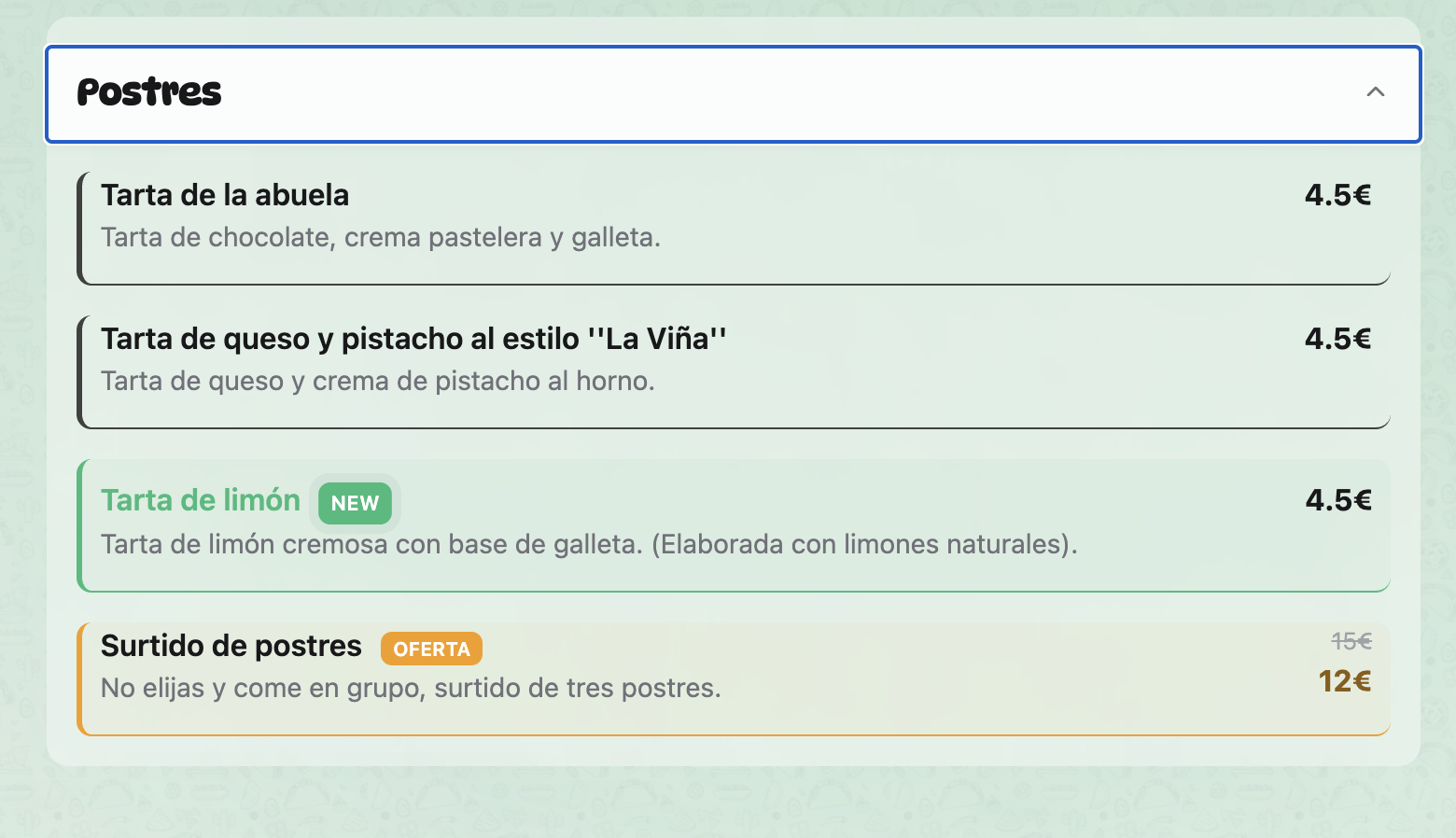
Special offers and promotions are highlighted with distinct visual treatment — badges, color accents and dedicated sections draw attention to time-limited deals. This dynamic capability allows the restaurant to respond quickly to inventory changes or seasonal promotions.
New Product Highlights
New additions to the menu receive special highlighting to capture customer attention. This feature helps the restaurant drive interest in new dishes and seasonal offerings, ensuring they get the visibility they deserve without requiring printed menu redesigns.
Implementation
import { google } from "googleapis";

const sheets = google.sheets({ version: "v4" });

export async function getMenu() {
  const auth = new google.auth.GoogleAuth({
    keyFile: "credentials.json",
    scopes: ["https://www.googleapis.com/auth/spreadsheets.readonly"],
  });

  const response = await sheets.spreadsheets.values.get({
    auth,
    spreadsheetId: process.env.SHEET_ID,
    range: "Menu!A:E",
  });

  const rows = response.data.values || [];
  const headers = rows.shift();

  return rows.map((row) => ({
    category: row[0],
    name: row[1],
    description: row[2],
    price: row[3],
    available: row[4] === "yes",
  }));
}